Online Security 101

Tess Vigeland: When we decided to do this next interview, it was because of all the news about hackers breaking into the likes of Citigroup and Sony. But the hacking story this week beats ’em all.
Reporters at Rupert Murdoch’s British tabloid News of the World are accused of hacking into the voicemail accounts of celebrities, relatives of soldiers killed in war and even that of a 13-year-old murder victim. So Sunday’s edition will be the paper’s last.
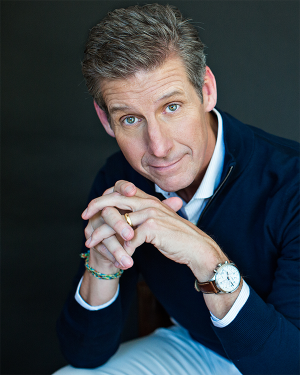
But let’s talk about what you can do to protect yourself online and elsewhere. Carmen Wong Ulrich joins us again. She’s a personal finance journalist and author of The Real Cost of Living. Welcome back to the show.
Carmen Wong Ulrich: Thanks Tess, thanks for having me.
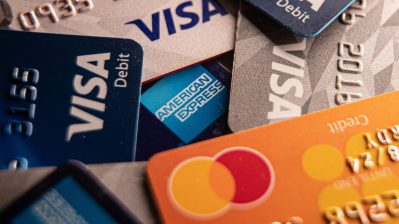
Vigeland: So, we’ve seen a lot of headlines recently about major hacking incidents, like Sony, where purportedly, the hackers got millions of credit card numbers. How bad is that, for us?
Ulrich: Actually, we would think that the credit card hacking is the most dangerous, but just as dangerous are username and passwords for hacking. Which also, of course, happened with Citi, and Citi was the first financial institution to become a victim of this. It’s very shocking and telling, because that’s exactly where we don’t want this to happen. But, here’s the thing, because so many of us use the same username and password, for everything. This spring there’s a study by a security firm — 73 percent of Americans use the same password and usernames — I know it’s hard to keep track of everything.
Vigeland: It’s totally hard to keep track of everything.
Ulrich: It is.
Vigeland: Which is why I’m one of those 73 percent.
Ulrich: Oh, no, Tess, no!
Vigeland: Probably shouldn’t admit that on the air, but…
Ulrich: No. As of today, and speaking to me, you will change your passwords.
Vigeland: OK.
Ulrich: It’s really our first-line of defense, because there are two ways hackers get in. One, of course, is through the institutions themselves, and two is through us. Now they can get through to us, by using our username and password, but also through our own computer. And the easiest way for them is to strip thousands or hundreds of thousands of usernames and passwords from these other organizations and then cross-check that from everything from Google to your bank. But, on our end, our first line of defense is having a great password, and a different password for our banking and our shopping.
Vigeland: You know, for most of us, I think just about our entire lives are online these days. Not just credit cards and banking, you know, but photos and life stories and blogs. Are we at the point where it’s kind of accepted that private really isn’t private anymore?
Ulrich: I think we can assume a lot of that, but here’s the thing. How much do we think before we type or upload photos or use those passwords. I think we do have some control over what’s out there, and I think a lot of us either take it for granted or don’t think about it. I really hate when I see on Twitter and Facebook people saying “Oh, I’m off to a flight to so and so place.”
Vigeland: Right.
Ulrich: Don’t do that. It’s so easy for someone to get in there, cross-reference your address, it’s just too easy. You want to be in very strong control over access to information as to where you are, where you’re going to be, and your passwords. I’m just going to keep saying that.
Vigeland: Well, it sounds to me that the best way to avoid all of this is to um, I guess, write checks, go to your bank, don’t bank online.
Ulrich: No, no!
Vigeland: Get off Facebook and Twitter.
Ulrich: No way!
Vigeland: Don’t use any social media.
Ulrich: No, I gotta tell you, banking online, to me, is revolutionary.
Vigeland: I agree.
Ulrich: I’m in the business of trying to help people save money, manage their money, and there’s nothing easier than like signing up for automated savings, or automated bill pay, that sort of thing. The key is to try to understand this: try to do all your banking from one computer. Don’t ever do your banking in a public place, where it’s public Wi-Fi. If you do your banking on your phone, password-protect your phone. The biggest danger is you lose your phone, and someone could just get on there, and make transactions. So you’ve got to make sure you password-protect everything. But some of the basic stop-gaps are there, they will protect, and if they don’t, the banking end, that’s going to be up to them. And I can tell you after the Citi breach, the banks are really going to upgrade, because they know, for their customers’ sake, fraud would cost them too much.
Vigeland: All right, well, if you are a victim, what do you do? What are maybe the first couple steps?
Ulrich: First is call the credit card company or the bank that is hacked. Make sure you change your information, make sure that you fill out the paperwork that they’ll give you, either online or in-person. You can issue a fraud alert on your accounts. I don’t recommend freezing all of your credit, because that costs money and it’s actually hard to unfreeze it. But just pay attention, and look at your statements online. The great thing about banking online is I go in there at least twice or three times a week. Go in there at least once a week, don’t look at your bank statements or your credit card bills once a month. Go in there often and look and see that those charges are legit.
Vigeland: Over a secure Wi-Fi.
Ulrich: One computer over secure Wi-Fi with a different password for your banking.
Vigeland: OK, I’m going to go change my passwords right now.
Ulrich: Thank you.
Vigeland: Carmen Wong Ulrich is a personal finance journalist and author of The Real Cost of Living. Thanks so much.
Ulrich: Thanks, Tess.
Stories You Might Like


There’s a lot happening in the world. Through it all, Marketplace is here for you.
You rely on Marketplace to break down the world’s events and tell you how it affects you in a fact-based, approachable way. We rely on your financial support to keep making that possible.
Your donation today powers the independent journalism that you rely on. For just $5/month, you can help sustain Marketplace so we can keep reporting on the things that matter to you.